
Work repeatedly raises local questions: what does this employee own, what will an approval change, and does a file contain the needed material? After answering them, people usually return to their original comparison, input, or decision.
If each inspection resets a list, loses a draft, or moves focus, people repeatedly rebuild their working state. All features may open successfully while these round trips fragment collaboration.
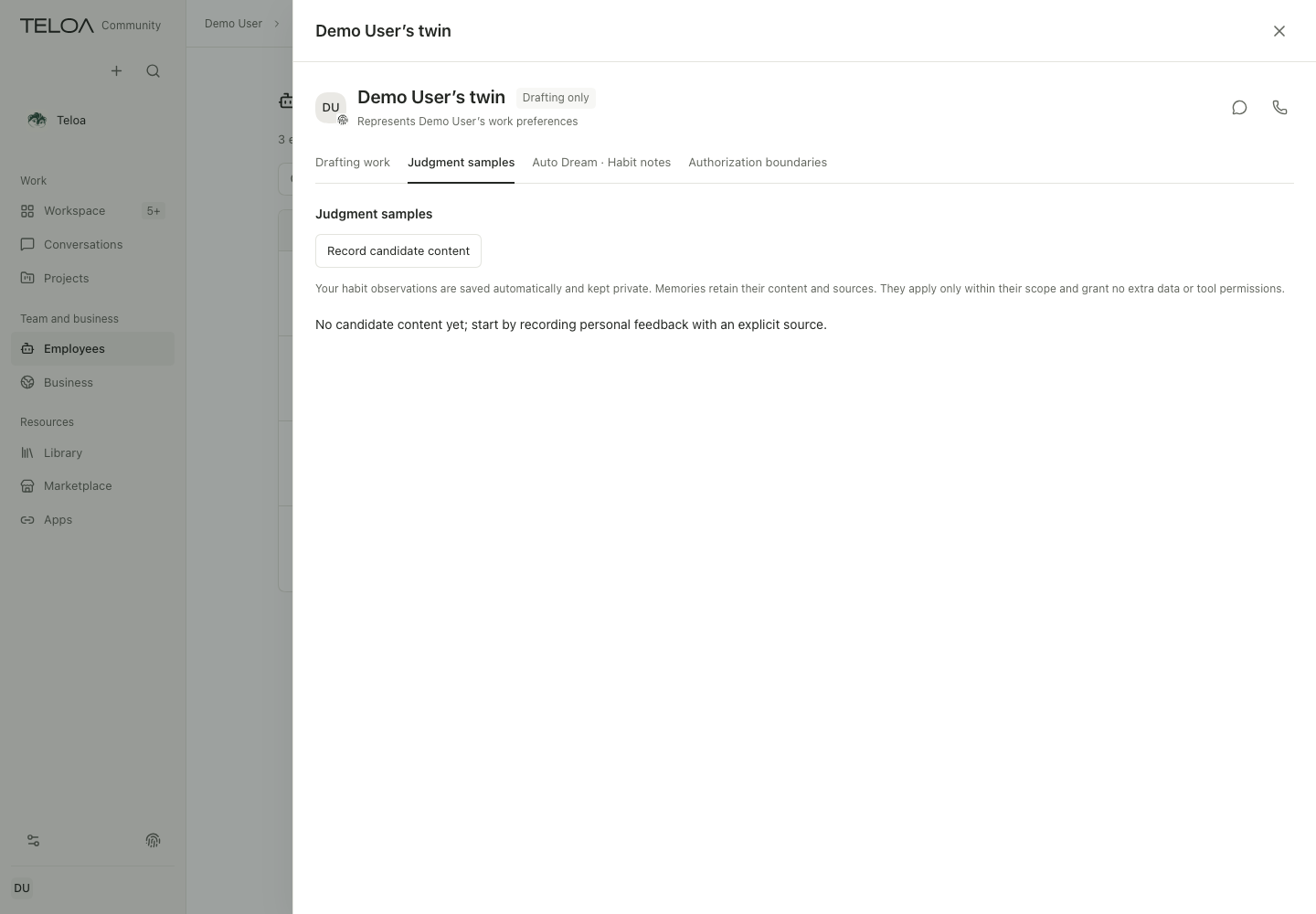
We treat viewing a detail as a round trip: where it began, what input came with it, and where it returns. Teloa defaults to a right-side drawer for local inspection to preserve that connection.
A brief question should not displace the whole work context
To check whether a research employee uses a particular method, you only need a few pieces of information. A full management page offers plenty of space, but also moves the directory, filters, and other people you were comparing out of sight.
A detail view on the right preserves the starting point. Users know why they opened it and can easily return to the original question. Task summaries, file previews, and capability details often serve the same need: a specific judgment within the current work.
This involves more than saving a click. While comparing, people temporarily hold several conditions in mind. More page transitions mean more reliance on memory to recover that context. Keeping related information together reduces the effort of getting back into the work.
The round trip recurs throughout a delivery: inspect the original task requirement, open an artifact to check a passage, and return to the conversation with revision feedback. Tasks, artifacts, and conversations own their respective content; the detail container keeps inspection connected to the original work. When they cooperate well, the owner can develop requirements while checking, rather than remember every finding and restate them together at the end.
The container should therefore follow the purpose of the inspection. Show what is needed to answer the current question first, and provide an appropriate route to further management. A brief check should not become a long array of settings.
Keeping context visible also means accepting limited space
The space should follow the purpose of the inspection:
| Purpose | Suitable space and trade-off |
|---|---|
| Quickly check local details | A drawer preserves the starting point, but takes some of the width |
| Read long content or do complex editing and management | A larger view; forcing a whole report into a narrow column makes reading and comparison harder |
| Follow progress over time | The work overview stays alongside the work, allowing typing while watching changes rather than becoming an interruption that needs closing |
A consistent interaction principle should establish stable expectations without forcing every kind of content into the same dimensions. Glancing at details, working deeply with content, and following ongoing work are three purposes worth giving different spaces.
Returning means retaining the specific object and position
Teloa’s established detail principles include retaining the originating draft, selection, filters, and scroll position, and returning focus to the trigger.
A draft needs a clear owner. If you are halfway through editing Employee A and then open Employee B, the same text cannot spill into B's view. Returning to A should make the original changes recognizable. One global temporary text buffer cannot provide that continuity.
Focus matters in practice, too. If closing a detail view puts a keyboard user's position at the top of the page, they have to navigate the selection again. The original list may still be there visually while the interaction has already lost its place. Both need to return together.
The unit of return-state design should be a specific inspection: which entry point, which object, and which unsent content the user brought in. Remembering only that a drawer was open is insufficient. Remembering text without its object can restore it in the wrong place.
A shared detail container standardizes closing, focus, and layering, while each object’s original flow handles its draft and saving. Users can develop stable expectations without every detail redefining cancellation and return.
On a narrow screen, preserving context does not require every region to remain visible. A larger reading view or single detail page may suit a phone. What matters is returning to the original work without interpreting closure as saving or execution. Spatial form can change while action meanings remain stable.
Finishing a look is different from making a decision
People open approval details to understand the effects. Closing them may simply mean they want to check another document first. If closing is also interpreted as rejection or approval, inspection itself becomes a consequential action.
We handle the three actions separately:
- Closing ends the inspection.
- Submitting a change requires an explicit action.
- Stopping targets a particular execution.
Lightweight windows use consistent semantics for different ways of closing. An asynchronous action already explicitly submitted continues to follow its original receipt.
This choice lets people explore before deciding. It also requires the interface to retain necessary drafts and submission states. “Open it again and start over” cannot resolve every interruption. A little more state retained in the implementation leaves less for the user to guess.
Judge the detail view by a complete round trip
A complete round trip explains detail quality better than its opening screenshot. Enter an employee from a filtered directory, inspect it, close it, and compare the next one. The position, selection, and input need to retain definite ownership for that work to continue.
This standard permits different containers. Long reading, complex editing, or a narrow screen may need more space, while a continuing overview can remain parallel. Action meanings and return relationships stay consistent. Each entry point still needs actual checking; a shared container does not establish complete implementation.